



 Let’s be honest.
Prospecting often looks like this:
Open CRM.
Open LinkedIn.
Search company.
Search people.
Click profiles.
Get distracted.
Twenty minutes later you’re reading someone’s post about their dog getting promoted to “Chief Happiness Officer.”
There’s a better way.
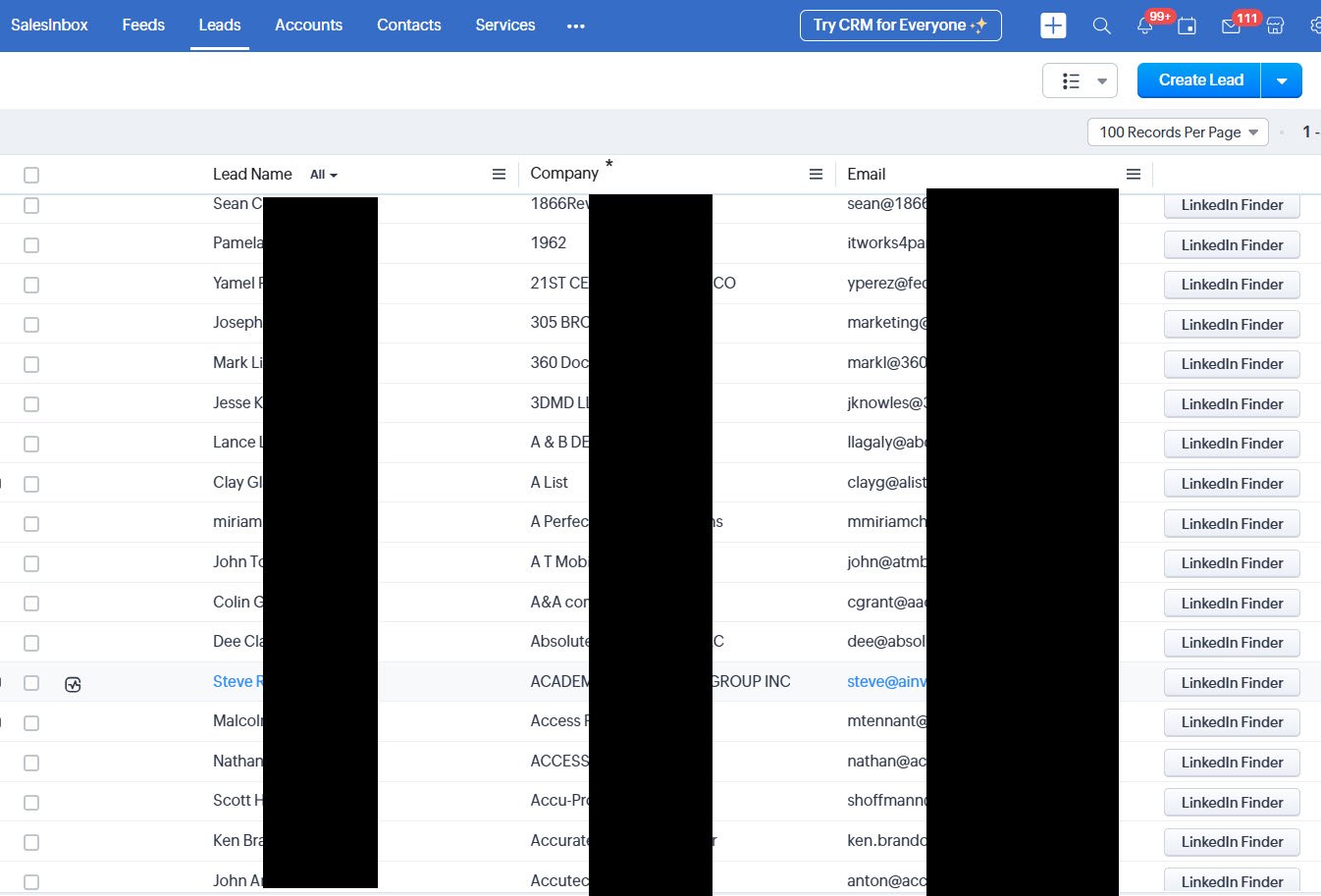
LinkedIn Finder for Zoho CRM helps you find the right people at the right companies without leaving your CRM—or falling down the LinkedIn rabbit hole.
The Problem: Your CRM usually starts with partial information.
You might have:
- A company name
- A phone number
- A website
But what you really want is the person who can say yes.
Because emailing info@company.com rarely results in a sale… unless their spam filter is feeling particularly generous that day.
The Simple Fix: LinkedIn Finder for Zoho CRM connects your Zoho database to the massive professional network that is LinkedIn.
From inside Zoho CRM, you can quickly identify people who work at a company and add them as contacts.
No tab juggling.
No endless searching.
No accidental deep dives into someone’s vacation photos from 2017.
How It Works: Zoho LinkedIn Finder is wonderfully simple:
- Open a company or lead in Zoho CRM
- Launch LinkedIn Finder
- See suggested LinkedIn profiles for that company
- Add the right contacts to your CRM
In a few clicks, one company record can turn into multiple decision-makers.
Why Sales Teams Love It
- Faster prospecting – Less searching, more selling.
- Better targeting – You reach actual decision-makers instead of generic inboxes.
- Stronger CRM data – Your database becomes more valuable over time.
In short, your CRM stops being a glorified contact list and starts becoming a real prospecting tool.
Final Thought: Sales success often comes down to one thing – finding the right person.
By combining the professional network of LinkedIn with the structure of Zoho CRM, LinkedIn Finder makes that job a whole lot easier. And anything that saves you from spending half your day searching LinkedIn profiles is probably worth it. Your sales team—and your sanity—will thank you.
Leave a Reply