



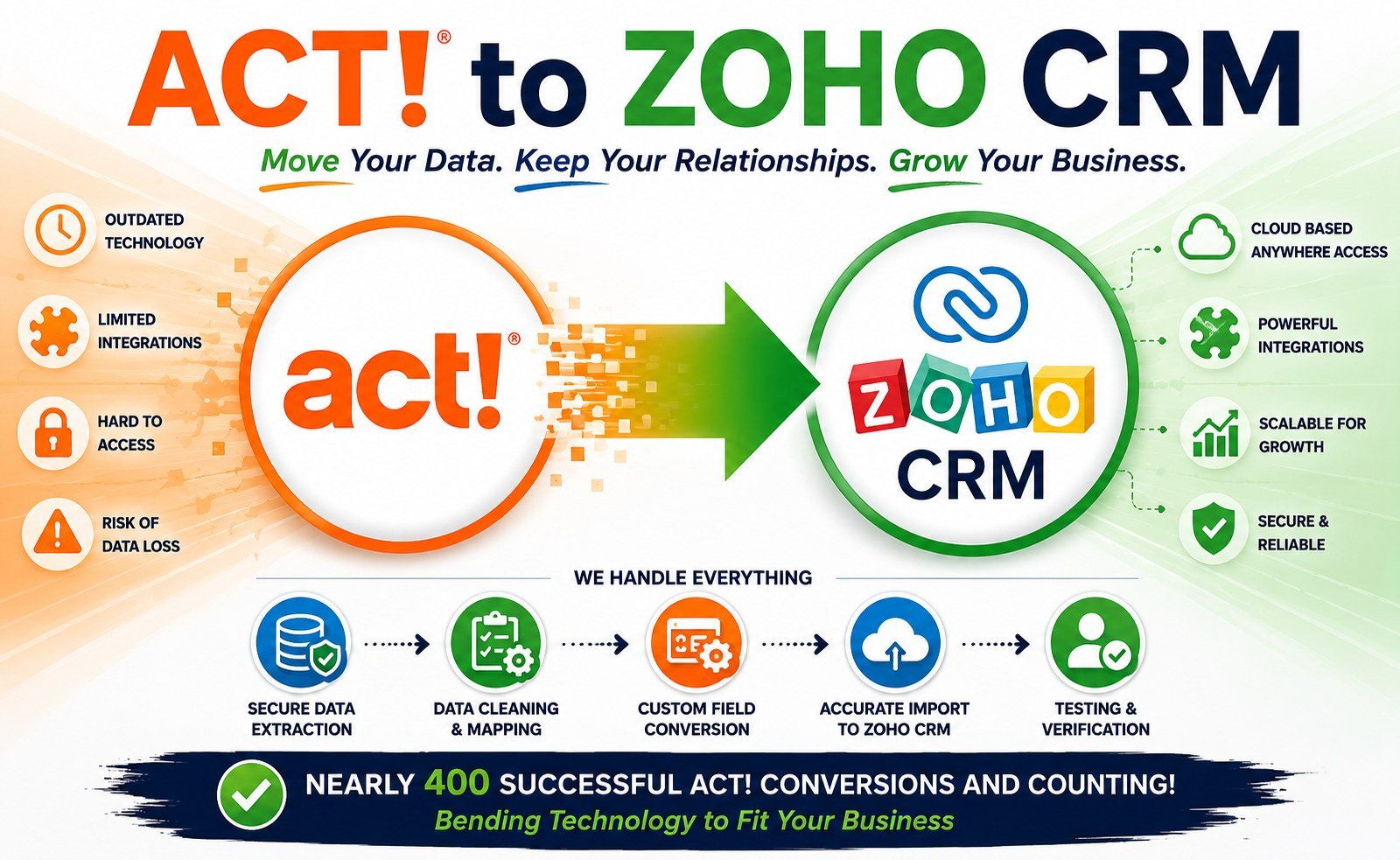
 If you have been using Act! CRM for years, your database probably contains far more than names, phone numbers, and email addresses.
It may contain years—or even decades—of notes, histories, activities, opportunities, groups, custom fields, secondary contacts, relationships, attachments, and other valuable customer information.
That is why moving from Act! to another CRM is not as simple as exporting your contacts to Excel.
A successful Act! data conversion, Act! data extraction, or Act! data migration requires an understanding of how the Act! database is structured and how that information needs to be rebuilt in your new CRM.
Whether you are moving from Act! to Zoho CRM, Salesforce, Microsoft Dynamics, HubSpot, or another CRM, the goal should be the same:
Move your valuable business data without losing the relationships and history that make that data useful.
What Is Act! Data Conversion?
Act! data conversion is the process of taking information stored in an Act! database and transforming it into a format that can be used by another CRM or database system.
This can involve much more than converting a file from one format to another.
An Act! database is relational. Different types of information are connected to one another. A contact can have notes, histories, activities, opportunities, groups, secondary contacts, and other records associated with it.
When that information is moved to another CRM, those relationships have to be preserved.
For example, suppose your Act! database contains:
- John Smith
- 14 notes
- 27 history records
- 8 activities
- 3 opportunities
- 2 secondary contacts
- Several custom fields
A basic contact export might give you John Smith’s name and contact information.
A proper Act! database conversion needs to preserve the rest of that information and maintain the relationships between the records.
That is the difference between exporting contacts and converting an Act! database.
What Is Act! Data Extraction?
Act! data extraction is the process of pulling information out of an Act! database so it can be analyzed, archived, cleaned, or imported into another system.
Data extraction can be useful even if you are not immediately moving to another CRM.
You may want to:
- Extract your entire Act! database for backup purposes
- Export Act! data to Excel
- Extract notes and histories
- Retrieve custom fields
- Archive an old Act! database
- Extract data from an older version of Act!
- Prepare an Act! database for migration to another CRM
- Recover information from a database that is difficult to access
- Separate data from multiple Act! databases
- Analyze the quality and structure of your existing data
Act! itself provides data-import capabilities, and its current documentation also describes importing existing Act! databases and CSV information.
But extracting an entire database is considerably more complicated than exporting a contact list.
Why Exporting Act! Contacts Isn’t Enough
One of the most common mistakes people make when leaving Act! is assuming that they can simply export their contacts to CSV and import them into their new CRM.
That works if all you care about is:
Name + Address + Phone + Email
But most established Act! databases contain much more.
Depending on how the database has been used, you may need to migrate:
- Contacts
- Companies
- Secondary contacts
- Custom fields
- Notes
- History
- Activities
- Appointments
- Meetings
- Opportunities
- Sales stages
- Products
- Groups
- Relationships
- Users
- Attachments
- Email information
- Picklists
- Other customized information
Act! is a relational database, meaning these records are connected. Notes and activities, for example, need to remain associated with the correct contact after migration.
Tech Benders has previously documented this issue in detail: Act! uses unique identifiers (GUID’s) to connect related records, so a complete extraction needs to preserve those identifiers so the relationships can be rebuilt in the destination CRM.
This is one of the biggest reasons Act! migrations should be handled as a data-conversion project rather than a simple CSV export.
What Does an Act! Data Migration Involve?
A professional Act! data migration typically involves several stages.
1. Analyze the Act! Database
Before extracting anything, the database should be analyzed.
This helps identify:
- Database size
- Number of contacts
- Number of companies
- Custom fields
- Notes
- Number and Type of History records
- Activities
- Opportunities
- Groups
- Secondary contacts
- Relationships
- Users
- Duplicate records
- Old or unused fields
- Other customized information
This database analysis is important because no two Act! databases are necessarily configured the same way.
Act! allows users to customize fields and layouts, and current Act! documentation confirms that custom fields and customized database structures are an important part of the platform.
2. Extract the Act! Data
Once the database has been analyzed, the necessary data can be extracted.
For a complete migration, this may involve extracting multiple types of records rather than one simple contact file.
A proper extraction should preserve the identifiers needed to reconnect related information.
For example:
Contact → Notes
Contact → History
Contact → Activities
Contact → Opportunities
Contact → Secondary Contacts
The goal isn’t simply to get the data out of Act!.
The goal is to get the right data out of Act! in a structure that can be rebuilt somewhere else.
3. Convert the Data
The extracted Act! data may need to be transformed into formats supported by the destination CRM.
This is particularly important when moving to Zoho CRM.
Zoho’s own migration documentation explains that an Act! export may be provided in .BAK format, while Zoho’s migration process requires CSV files. Zoho therefore provides a conversion process for turning the Act! export into an importable format.
This is where an experienced Act! conversion specialist can make a major difference.
The data may need to be:
- Restructured
- Renamed
- Reformatted
- Deduplicated
- Cleaned
- Mapped
- Split into separate files
- Combined
- Converted into destination CRM modules
4. Map Act! Fields to the New CRM
Field mapping is one of the most important parts of an Act! migration.
For example:
| Act! | New CRM |
|---|---|
| Contact Name | Contact Name |
| Company | Account/Company |
| Phone | Phone |
| Custom Field | Custom Field |
| Notes | Notes |
| History | Activities/Timeline |
| Opportunity | Deal/Opportunity |
| Group | Tag/Category |
| Secondary Contact | Related Contact |
The mapping isn’t always one-to-one.
A field that makes sense in Act! may need to become a different type of field or even a different module in the new CRM.
This is particularly important when moving to modern CRM systems such as Zoho CRM, where information can be organized into modules such as Leads, Contacts, Accounts, Deals, Activities, and custom modules.
Zoho’s Act! migration process, for example, supports mapping Act! data to different CRM modules and allows unmapped files to be assigned to modules or new modules to be created.
5. Clean Up the Data
An Act! migration is also an opportunity to clean your database.
After years of use, many Act! databases contain:
- Duplicate contacts
- Old addresses
- Invalid email addresses
- Outdated companies
- Empty fields
- Obsolete custom fields
- Former employees
- Old opportunities
- Unused groups
- Inconsistent data
You don’t necessarily want to move all of that information into your new CRM.
A good migration asks:
What should we move?
not simply:
What can we move?
6. Test the Migration
Never assume that a migration worked simply because the import completed successfully.
A test migration should be performed before the final conversion.
The converted data should be checked for:
- Record counts
- Field values
- Notes
- History
- Activities
- Opportunities
- Relationships
- Custom fields
- Attachments
- Duplicate records
This is especially important for large or heavily customized Act! databases.
7. Perform the Final Act! Migration
Once the test migration has been reviewed and approved, the final data migration can be completed.
Ideally, the final migration should happen after a clear cutoff point so that new information isn’t being entered into Act! while the migration is taking place.
After the final migration, the destination CRM should be carefully validated before users begin relying on it.
Act! to Zoho CRM Migration
One of the most common reasons businesses request Act! data extraction and conversion is to move from Act! to Zoho CRM.
Zoho provides a native Act! migration workflow, but there is an important catch: your Act! data still needs to be prepared for the migration.
Zoho’s documentation explains that Act! data must be converted from the Act! export format into CSV files before it can be imported. Zoho can then map those files to CRM modules.
That means the migration process can involve:
- Act! database
- Database analysis
- Data extraction
- Data conversion
- Data cleansing
- Field and module mapping
- Zoho CRM import
- Testing and validation
A professional Act! to Zoho migration goes beyond simply clicking Import.
The objective is to make your new Zoho CRM contain the information your business actually needs while preserving the valuable history contained in your Act! database.
Can You Extract Data From an Old Act! Database?
Yes—but the approach depends on the Act! version, database condition, database structure, and what information you need.
Older Act! databases can present additional challenges.
Act!’s own documentation notes that database conversion between older versions can involve database and supplemental-file conversions and that different versions may have different conversion considerations.
You may also encounter situations where:
- You no longer have the original Act! software
- You don’t know the database password
- The database won’t open
- The database is damaged
- The database is from an older version
- You have only an Act! backup
- You have multiple databases
- The original Act! administrator is no longer available
Don’t assume the data is gone simply because you can’t open the database normally.
A database backup may contain significantly more recoverable information than a standard contact export.
What If I Only Need an Act! Data Extraction?
You don’t necessarily need to migrate to another CRM.
An Act! data extraction can provide your data in standard formats such as CSV so you can:
- Open it in Excel
- Import it into another database
- Archive it
- Analyze it
- Give it to another CRM provider
- Maintain an independent copy of your customer data
For some businesses, extraction is all they need.
For others, it is the first step in a larger Act! data migration project.
Act! Conversion vs. Act! Extraction vs. Act! Migration
These terms are sometimes used interchangeably, but they are slightly different.
- Act! Data Extraction: Getting information out of Act!
- Act! Data Conversion: Transforming Act! data into a format or structure that another system can use.
- Act! Data Migration: Moving that converted data into the new CRM and validating the result.
- Act! Database Conversion: Converting the actual Act! database, often when moving between Act! versions or preparing the database for another use.
Understanding the difference helps you determine what type of service you actually need.
Why Choose an Act! Data Conversion Specialist?
Act! databases can be deceptively complicated.
A contact export may look simple, but the underlying database can contain years of interconnected information.
An experienced conversion specialist understands the difference between:
“I exported my contacts.”
and
“I successfully migrated my CRM.”
That difference can mean preserving years of customer history—or losing it.
At Tech Benders, we specialize in working with Act! databases and helping businesses extract, convert, and migrate their valuable CRM data.
We can help whether you need:
- A complete Act! database extraction
- Act! to Zoho CRM migration
- Act! to Salesforce migration
- Act! data conversion
- Act! database cleanup
- Data from an older Act! version
- Notes and history extraction
- Custom field extraction
- A complete database converted to CSV
- Help determining what can be recovered from an Act! backup
Don’t Leave Your Act! History Behind
Your Act! database may contain years of information about your customers, prospects, sales, and business relationships.
Don’t reduce all of that history to a spreadsheet containing names and phone numbers.
A properly planned Act! data conversion and migration can preserve the information your business has accumulated while giving you a modern CRM platform to work with.
If you’re considering moving away from Act!, start by finding out exactly what is in your database and what can be extracted.
Before you migrate your Act! database, know what you’re actually moving.
Need Help With an Act! Data Extraction or Conversion?
Tech Benders can analyze your Act! database, extract your data, convert it into a usable format, and help migrate it to your new CRM.
[Contact Tech Benders to discuss your Act! database conversion →]
Frequently Asked Questions About Act! Data Migration
How do I export all of my data from Act!?
Exporting a contact list from Act! is relatively straightforward, but exporting an entire Act! database—including notes, histories, activities, opportunities, custom fields, relationships, and other related information—is much more complicated.
A complete Act! extraction requires an understanding of the database structure and the relationships between records.
Can Act! data be migrated to Zoho CRM?
Yes. Zoho provides a migration process for Act! CRM. However, Act! data must be converted into a format Zoho can import, and the data needs to be properly mapped to Zoho CRM modules.
Can I migrate Act! notes and history?
Yes, depending on the database and destination CRM. Notes and history are stored as related information rather than simply being additional contact fields, so they need to be extracted and associated with the correct records during migration.
Can you extract Act! data without migrating it?
Yes. An Act! database can be extracted into usable formats such as CSV files for archiving, analysis, or later migration.
What if my Act! database is old?
Older Act! databases may require additional conversion or recovery steps. The exact approach depends on the version, database structure, and condition of the database.
What if I don’t have Act! installed anymore?
That doesn’t necessarily mean you can’t access the data. Depending on what you have available—a backup, database files, or other Act! files—there may be ways to extract the information without using your normal Act! installation.
How much does an Act! data migration cost?
The cost depends on the size and complexity of the database, the amount of historical information being migrated, the destination CRM, customizations, data cleanup requirements, and whether relationships and attachments need to be preserved.
A database assessment is the best way to determine the scope before beginning a migration.
Get Your Act! Database Evaluated — Send us a copy of your Act! database and we’ll help determine what data can be extracted, what should be migrated, and how to preserve your valuable CRM history.
Leave a Reply