Home » ACT Addons

ACT Reports Package

The Reports Package includes over forty reports that ACT! users ask for but that are missing from the basic set of ACT! reports.  Using the Opportunity module?  We’ve added over 20 Opportunity reports.  Frustrated by the Address Book limitations?  We’ve added a bunch of those as well. Click Here to Order This collection of ACT reports is designed to correct some of the flawed ACT- 

ACT Labels Package

Never underestimate the power of an ACT label!  We’ve expanded the functionality of the basic ACT labels to include: Several sizes of post cards and announcements. Additional label sizes Index and Rolodex cards Click Here to Order In addition, we’ve added the ability to indcate which set of addresses you consider to be the contact’s main mailing address.  For example, you might want to- 

ACT QuickBooks Link

Are you using both ACT and QuickBooks?  Tired of doing double-entry? We’ve got the answer! Link Records between ACT! and Quickbooks Synchronize Contact Data between ACT! and Quickbooks Create Quickbooks Customers from Records in ACT! Create Quickbooks Invoices, Estimates, Sales Orders from ACT! Create ACT! records from Quickbooks customer records Convert ACT! Opportunities to QB Transactions- 

Link ACT to Your Mobile Phone

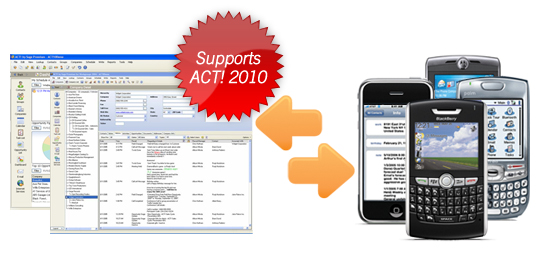
You use ACT.  You’ve got a smart phone.  And you want to link the two together!  Companion Link is the product you need.  CompanionLink will synchronize your ACT! data with your phone or with other supported applications and web-based services (like Microsoft Outlook or Google). Click here to order. By using a Google or “Gmail” account with CompanionLink, you can get a free,- 

ACT E-Marketing

Swiftpage is an e-mail, sales automation and nurture marketing company that has created an integrated solution for the most popular business and contact management applications.  Swiftpage provides the ability to create e-mail campaigns using our simple online editor, send to your contacts through our powerful servers, and track your campaigns by providing reports of who is opening and clicking on- 

Dial Your Phone from ACT

Call On CRM is a comprehensive communications solution that combines the two most powerful customer contact business tools – your phone system and your ACT! Customer Relationship Management (CRM) software system. It is designed to help businesses deliver an optimal customer experience using advanced IP telephony to drive business value in every customer interaction. Call On CRM for ACT! was- 

ACT Importing Software

CLICK HERE TO ORDER It’s important to fully understand ACT’s  importing process “before it’s too late.”  The import process is designed for two situations: The initial importing of contact information into a brand new database The importing of additional new contacts into an existing database. If you are importing into an existing database you have two options: If a match is found, do- 

QuoteWerks – ACT Quoting Software

Click here to access a demo QuoteWerk enables companies in every industry to create detailed quotes and proposals with speed and efficiency. If you want to save time and money when quoting, selling, ordering, and purchasing products and services you need QuoteWerks. QuoteWerks integrates seamlessly with contact managers like ACT!, ACT! for Web,  Outlook, Outlook BCM,  and SugarCRM- 

FREE Contact Capture For ACT

FREE PRODUCT! You might have a love/hate relationship with your CRM: You love having a CRM database but hate entering all of that information. If that’s the case, then Contact Capture by Broadlook Technologies should rank high on your list of must have add-ons. Contact Capture can capture information from a variety of sources including e-mail signatures and Web site directories. The procedure- 

FREE ACT History Fix

In ACT! 2011, the New History window (CTRL + H)  defaults to Appointment instead of Call as in all previous versions. Find it annoying? Download the free History Window Fix for Sage ACT! 2011 to resolve this issue. NOTE: There is no interface, simply install and restart ACT!. NOTE:  If you want the history window to default to another type of activity other than Call, locate the DefaultActivity.txt-